

You're on a job when a text comes in. By the time you check it, they've already texted someone else. AI SMS responds in seconds so you never lose a lead to a slow reply.
How it works
1

A customer texts your business number, anytime.

2

AI replies instantly in your voice and qualifies the lead.
3

The conversation lands in your inbox, ready to book.
See it in action
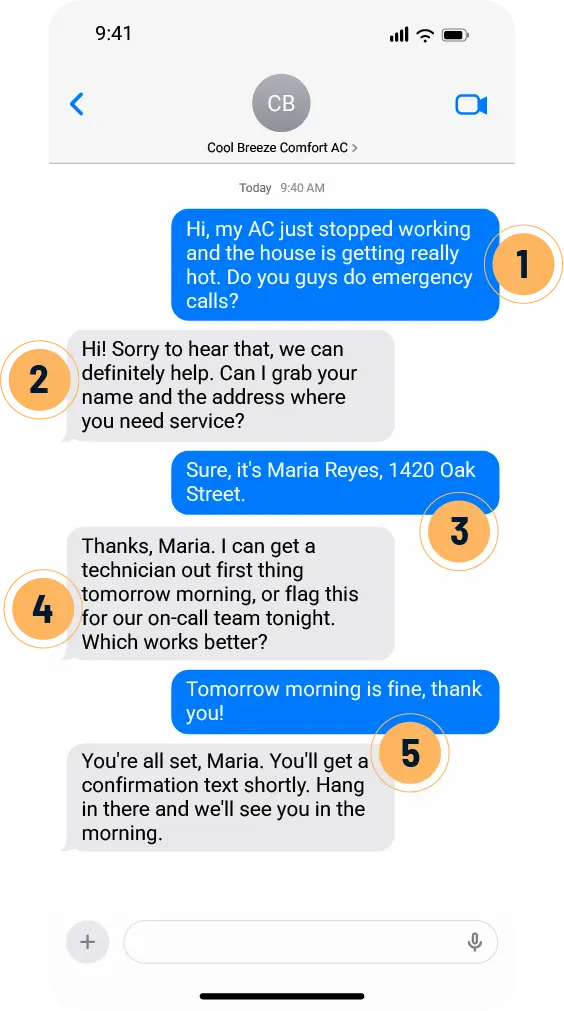
1
AI recognizes urgency and an after-hours emergency.
2
AI responds in your voice, stays reassuring, and starts qualifying the lead.
3
AI syncs contact and job details right to your Messaging Hub.
4
AI can offer booking options based on your availability, or escalate to your team.
5
AI books the job, confirms, and logs the conversation in your inbox.
Not convinced? Text it yourself.
Don't take our word for it. Text our demo number and see how it handles a real conversation.
Real results and real work

We never lose leads anymore! Customers love the quick responses, and it has made a huge impact on our business.
– Drew Stewart
Joe's Garage Door Service



Moving Interiors
Houston, TX
What's included

24/7/365 coverage
Put down your phone without turning off your availability. Every texter gets attention immediately, whenever they reach out.

Messaging Hub inbox
It's one inbox for every channel. See every call, text, and lead the moment it comes in and jump in when a conversation needs your attention.
Learn More →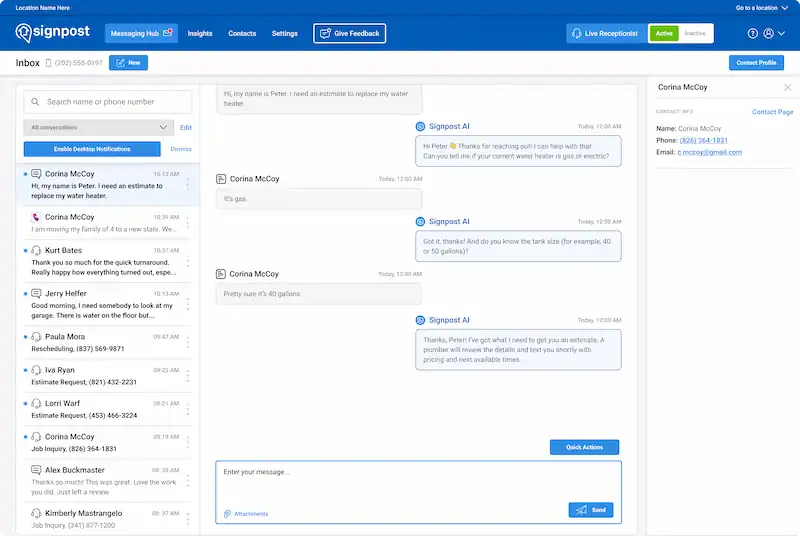

Flexible customization
Easily customize your AI texting agent so your messages sound just like your business.
.svg)

Automate your workflows
Decide what questions your AI asks so every conversation gathers what your team needs next.

Seamless handoff
When a conversation needs a human touch, the AI hands it off cleanly to your team, so nothing gets repeated.

Mobile app
It's your Messaging Hub, in your pocket. Get notified the moment a conversation starts and take over from wherever you are.
Learn More →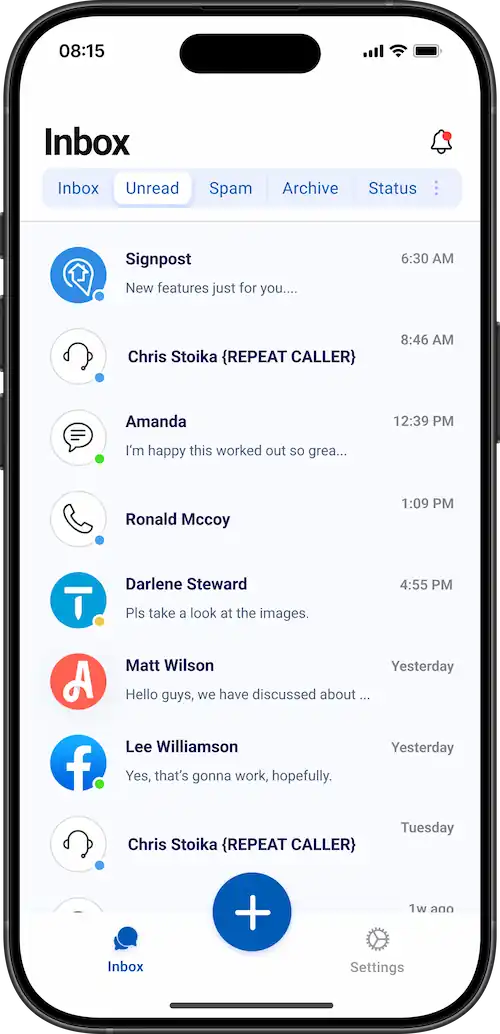
Common questions
What happens if someone gets off topic? How will the AI respond?
How quickly will the AI respond to every text?
Can the AI give pricing estimates?
What happens if someone stops responding for several hours and comes back later?
.svg)
.svg)
.svg)