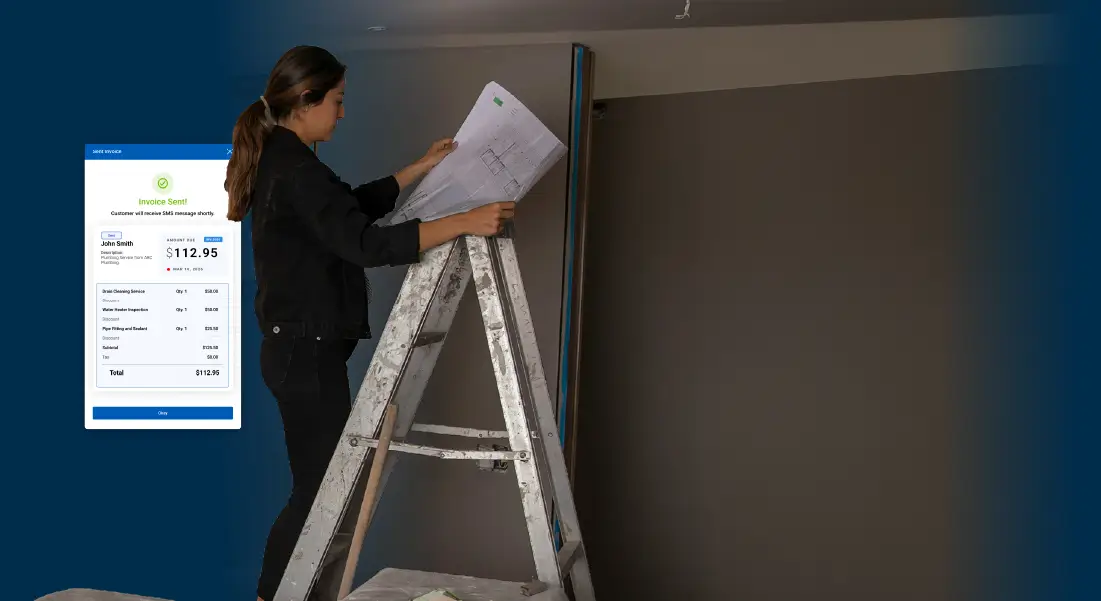
The work doesn't end when the job does. You still have to invoice, follow up, and get paid. Invoicing & Payments sends a professional invoice that customers can pay right from their phone.
How it works
1

Create an invoice from the customer's contact, with your line items.

2

Send it by text. The payment link is built right in.
3

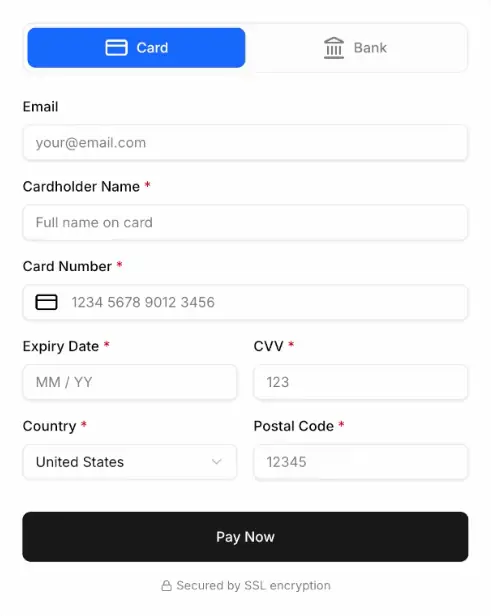
Your customer taps the link and pays by card or bank, no app or login required.
4

The payment lands in your account and the status updates automatically.
Sending your first invoice is easy.
From first contact to final payment, here's how simple it looks.
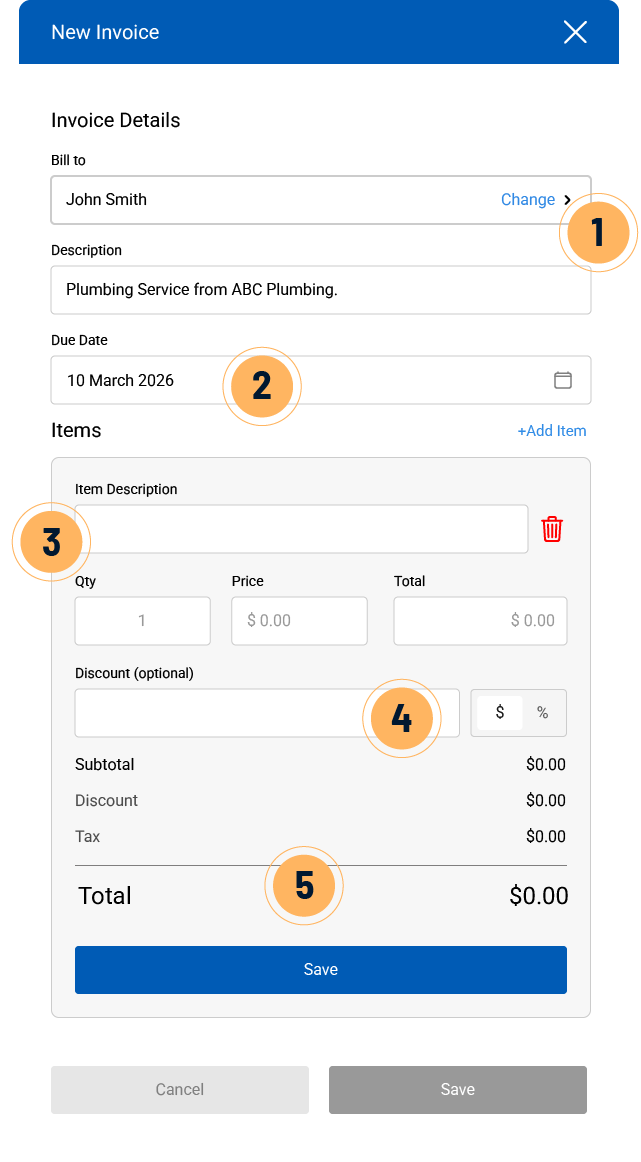
1
Find your customer. SignpostAI integrates with Quickbooks, so you don't have to manually enter anything.
2
Set a due date. SignpostAI reminds your customer before it's due and again if it goes overdue, so you don't have to chase down payment.
3
Add your line items. Labor, parts, or just a flat fee, write in whatever the job called for.
4
Add a discount if you want. Take a set amount or a percentage off, directly in the invoice.
5
See the total, instantly. Quantity, price, and tax add up as you go, so there's no math to double-check.
How it works

Invoice quick-create
Build an invoice right from a customer's contact, add labor, parts, or a flat fee, and send it immediately or save it for later.
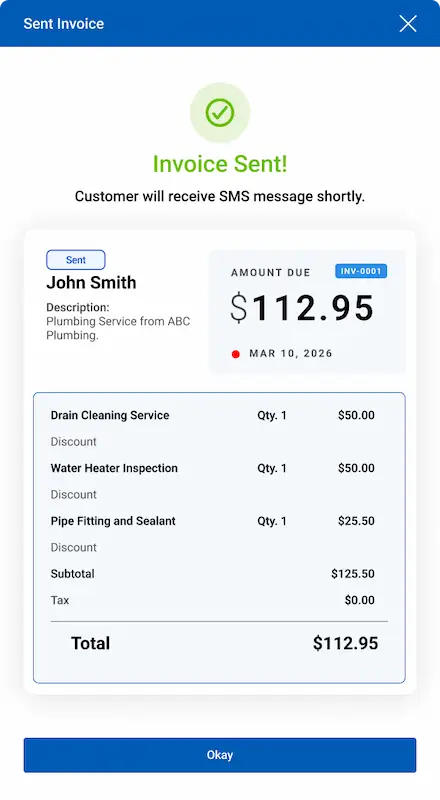

SMS payment links
The invoice goes out by text with a payment link built in. Your customer pays directly from their mobile device.

Automated invoice follow-ups
SignpostAI sends a customized email or text to nudge customers to pay their outstanding invoice.

Flexible payment collection
Customers can pay by credit card or ACH, and you can track cash and checks too.

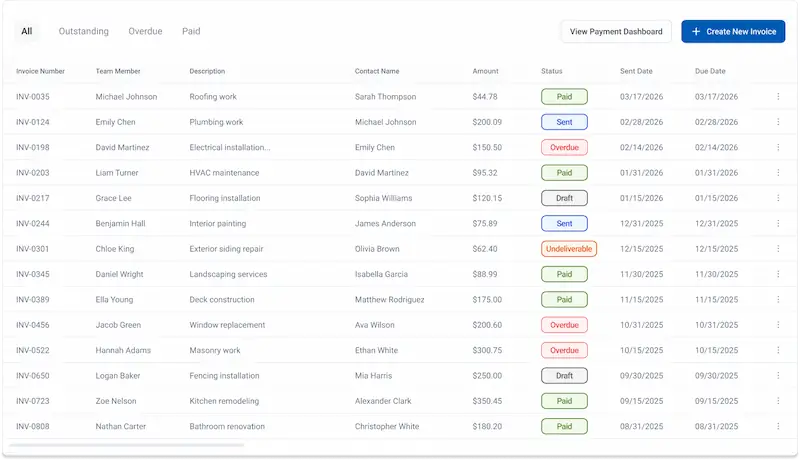
Status dashboard
Get real-time updates on the status of current and outstanding invoices.

Quickbooks integration
Invoices and payments flow straight into QuickBooks Online without manual entry.
Learn More →Get paid faster, chase less.

Lower processing fees
Keep more of every payment with rates built for trades, not big box retail.

Less manual follow-up
Automatic reminders do the chasing so you don't have to make the awkward call.

Better cash flow
Send the invoice the moment the job's done and get paid in days, not weeks.

One workspace
From the first call to the final payment, it all lives in Signpost. No switching tools, no lost invoices.
Common questions
How does my customer pay?
Where does the money go?
Do I need Invoicing to use Payments?
What do I need to set up first?
Does it work with QuickBooks?
Can customers pay part of an invoice?
.svg)
.svg)
.svg)